Tab Islands
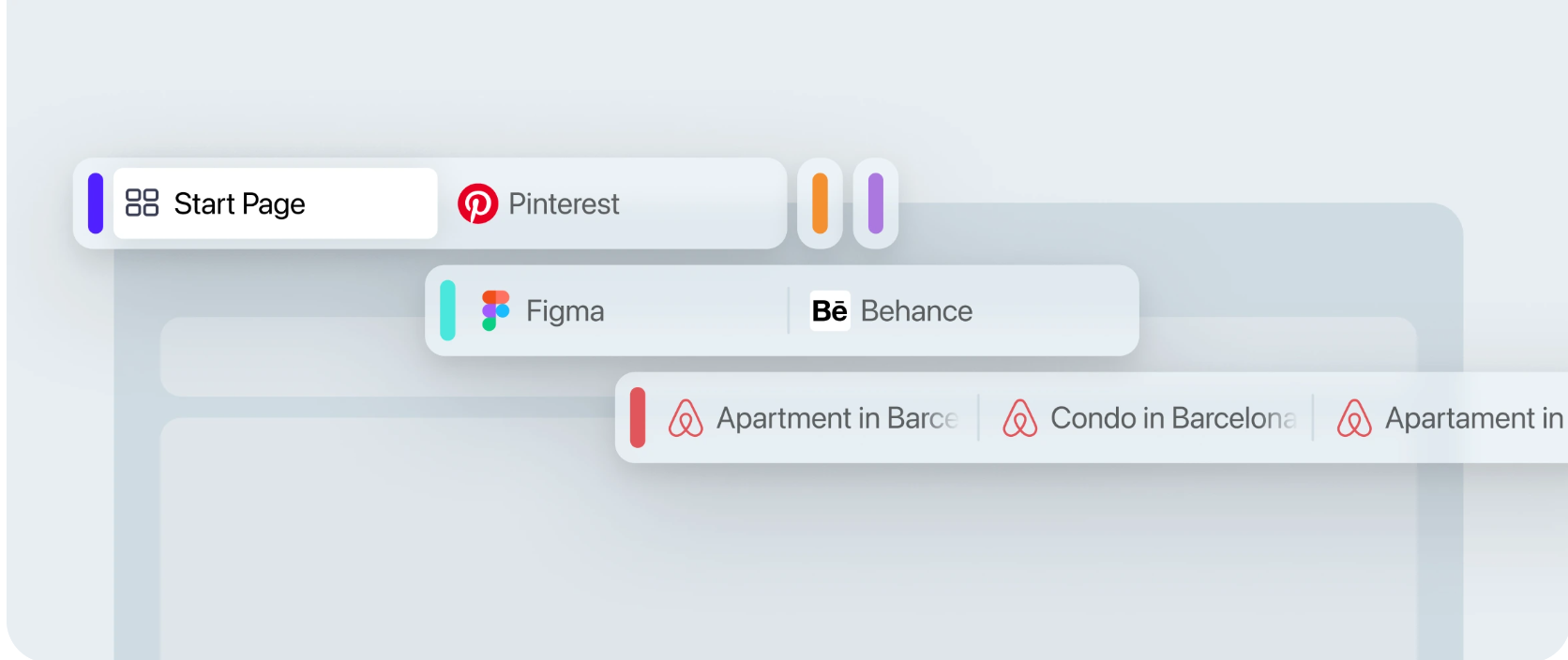
Keep related tabs together in contextual groups that can be named, colored, collapsed and expanded when you need them.
 Opera
Download now
Opera
Download now
Faster, safer and smarter than default browsers. Opera brings privacy, security and useful built-in tools together for everything you do online.

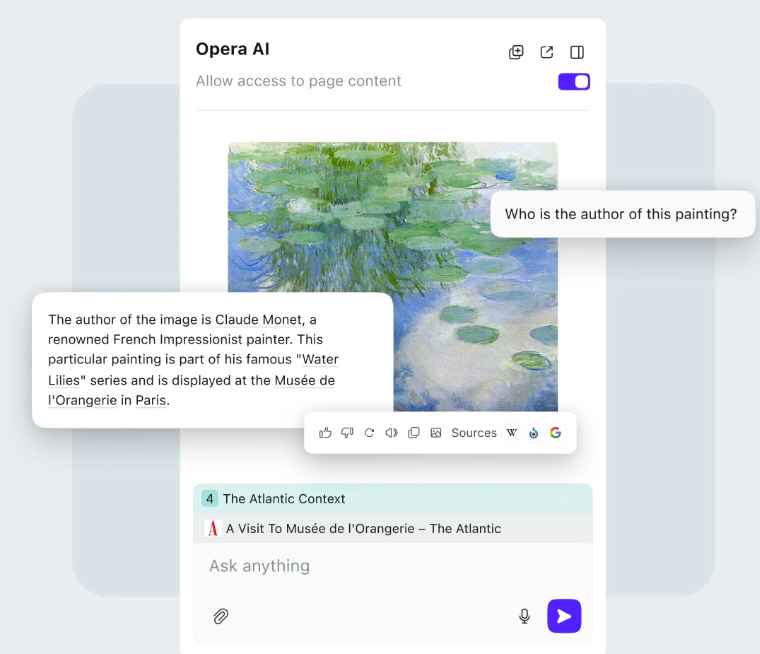
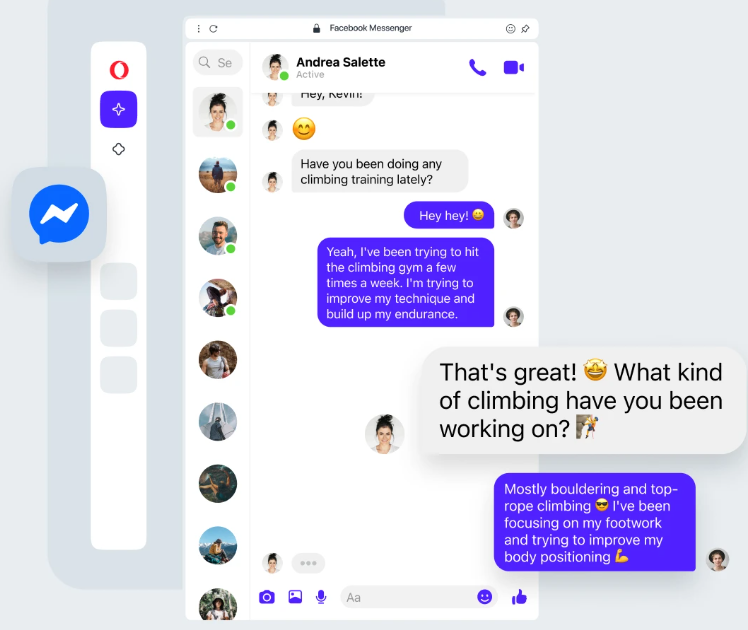
Organize tabs, use browser AI, keep messages close and add privacy protection without building your browser around a long list of separate tools.
Keep related tabs together in contextual groups that can be named, colored, collapsed and expanded when you need them.
Use Opera’s built-in Free VPN for browser traffic, or choose VPN Pro when you want VPN protection across your entire device.


Opera offers a complete web experience beyond system-default browsing, with built-in tools for tabs, privacy, communication and cross-device use. Compare Opera vs Chrome or Opera vs Edge.
Opera GX brings gaming-focused controls, customization and built-in services to desktop and mobile browsing.
Gaming browser
GX Control, extensive customization and gaming-focused browser features for Windows, macOS and Linux.
Mobile gaming browser
A mobile version of the GX experience for Android and iOS, built around gaming culture and browser customization.
Opera combines a long-running browser platform with built-in privacy, productivity and customization tools designed for everyday use.

Opera is chosen by millions of people around the world across desktop and mobile. It is available on Windows, macOS, Linux, Android, iOS and Chromebook, with additional Opera browsers for different devices and use cases.
Opera includes browser security and privacy controls alongside features such as an Ad Blocker and Free VPN. Privacy settings, permissions and browsing data controls remain available when you want to review or change how the browser behaves.


Opera continues to develop the browser around changing ways of using the web, including native browser AI, contextual tab management, sidebar services, cross-device tools and new interaction models.

Opera is its people: international teams of developers, designers, researchers, marketers and support specialists working across regions to build browser experiences for desktop, mobile and gaming.
Read about Opera →Opera is a Chromium-based web browser for desktop and mobile with built-in features for privacy, tab management, AI, messaging, media and cross-device browsing.
Opera is available for Windows, macOS, Linux, Chromebook, Android, iPhone and iPad, with additional Opera browser editions available for specific devices and use cases.
Yes. Opera includes a Free VPN that protects traffic inside the Opera browser. VPN Pro is a separate service designed to protect traffic across the entire device.
Yes. Opera AI is built into the browser and can work with webpage and tab context. ChatGPT and Gemini are separate AI services that can also be accessed from Opera’s sidebar.
Yes. An Opera account can sync bookmarks, Speed Dial, browsing history, passwords, settings and open tabs across signed-in Opera browsers.
Yes. Opera can import browser data such as bookmarks and, depending on the source browser, history, saved passwords, cookies and other supported settings.
Block ads and reduce page distractions without adding a separate ad-blocking extension.

Send links, notes and files between connected Opera browsers on your devices.

Use an Opera account to sync bookmarks, Speed Dial, history, passwords, settings and open tabs.

Use Workspaces to keep different tasks and sets of tabs in separate browser spaces.

Open multiple tabs in Split Screen when you need to compare, read or work across pages.

Search across open tabs instead of scanning a crowded tab bar one page at a time.

Easy Files helps surface recent downloads and files when a website asks you to upload something.
Pop online video out of its page so it can stay visible while you continue browsing.
Open supported music and podcast services from Opera’s sidebar without keeping another media tab open.
Access supported social services such as Instagram, X and Bluesky from the Opera sidebar.
Save and manage website credentials in Opera and sync supported password data across signed-in devices.
Battery Saver helps reduce browser power use when you are working on a laptop away from a charger.
Use Snapshot to capture, edit and share parts of webpages directly from the browser.
Translate webpages and selected text in Opera while keeping the original browsing context in place.
Customize Opera with themes, wallpapers and appearance settings that change how the browser looks and feels.
Install Opera Add-ons and many compatible Chrome extensions when you need capabilities beyond the built-in tools.
GET OPERA
Free VPN, Ad Blocker and Flow file sharing are just a few of the tools built into Opera for a faster, smoother and less distracting web experience.
